 61
61 less than a minute
Why this feature matters
With the new map feature, you can easily identify rental offices in a specific area and compare nearby available offers. This helps you make faster booking decisions and find competitive pickup locations for your clients.
What you can do with the new map
The new interactive map gives you a clearer way to search for rental offices and available vehicles.
With the map, you can:
- View and select rental offices on an interactive map
- Compare competitive offers available nearby
- Narrow results to a selected area
This visual approach makes it easier to understand where rental offices are located and identify suitable options in just a few clicks.
How to use the map
Using the new feature is simple:
1. Search for a car rental as usual on RateHawk.
2. Open the map from the search results page by clicking on “Show on map.”
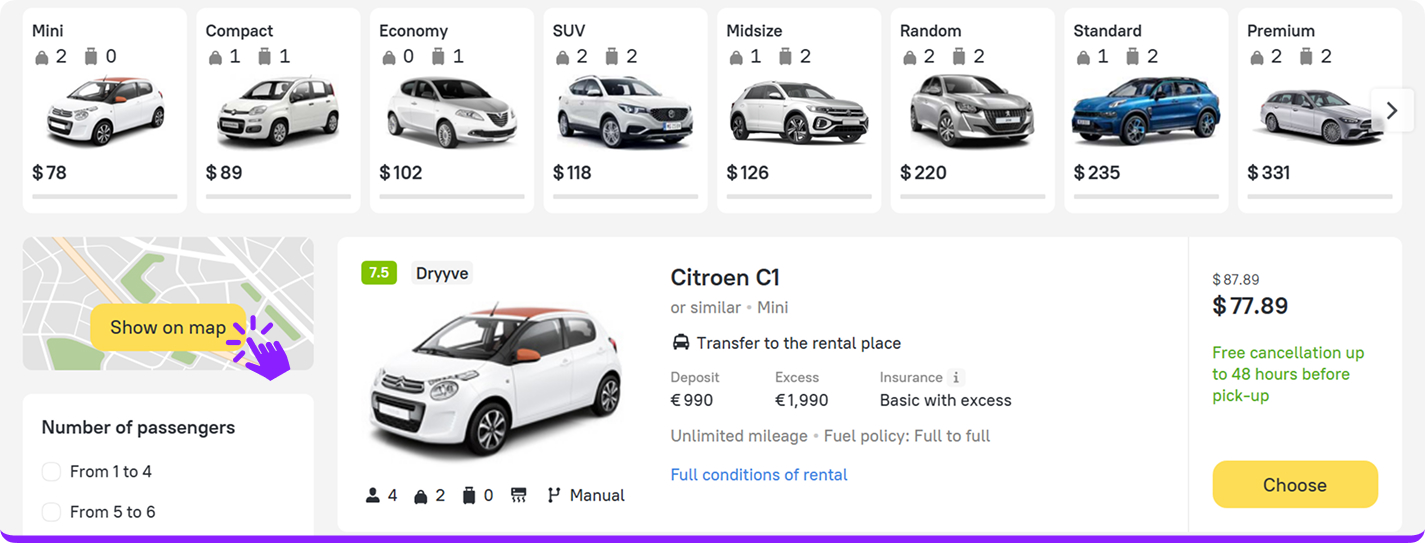
3. Filter by suitable parameters: car class, insurance coverage, and more.
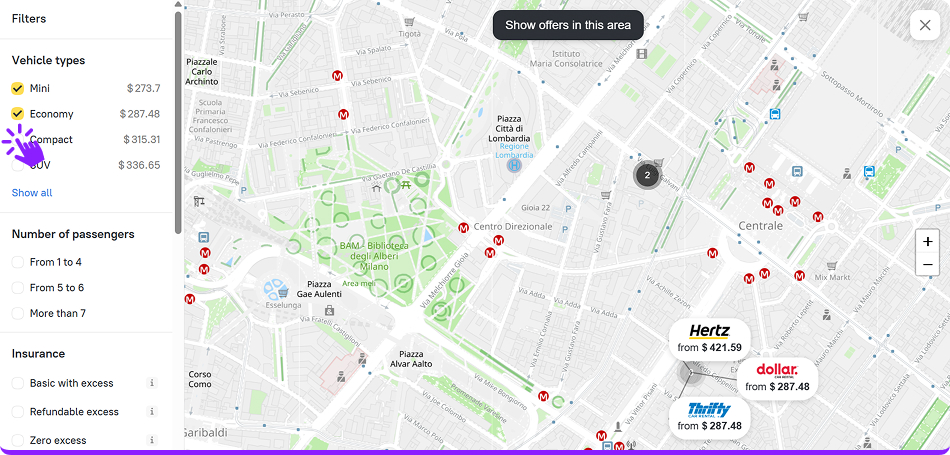
4. Explore rental offices displayed on the map.
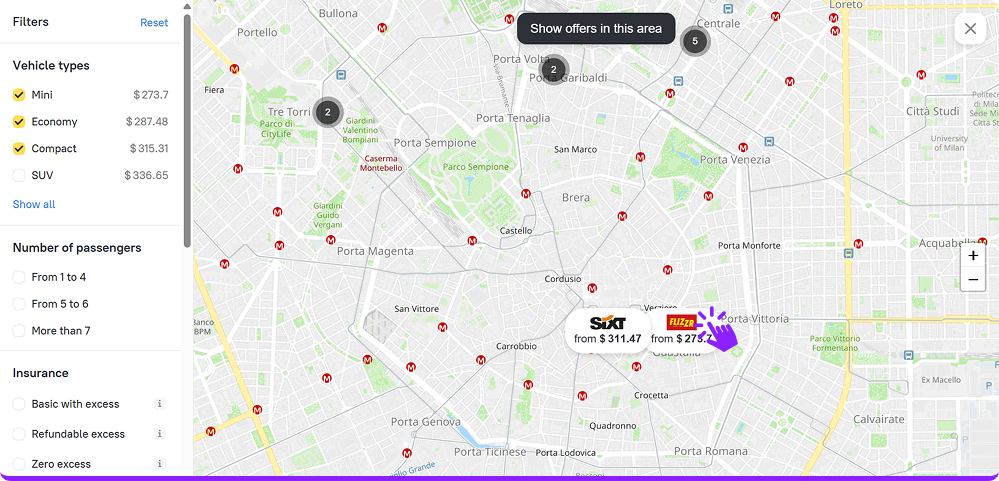
5. Select an office or a specific area to filter available offers.
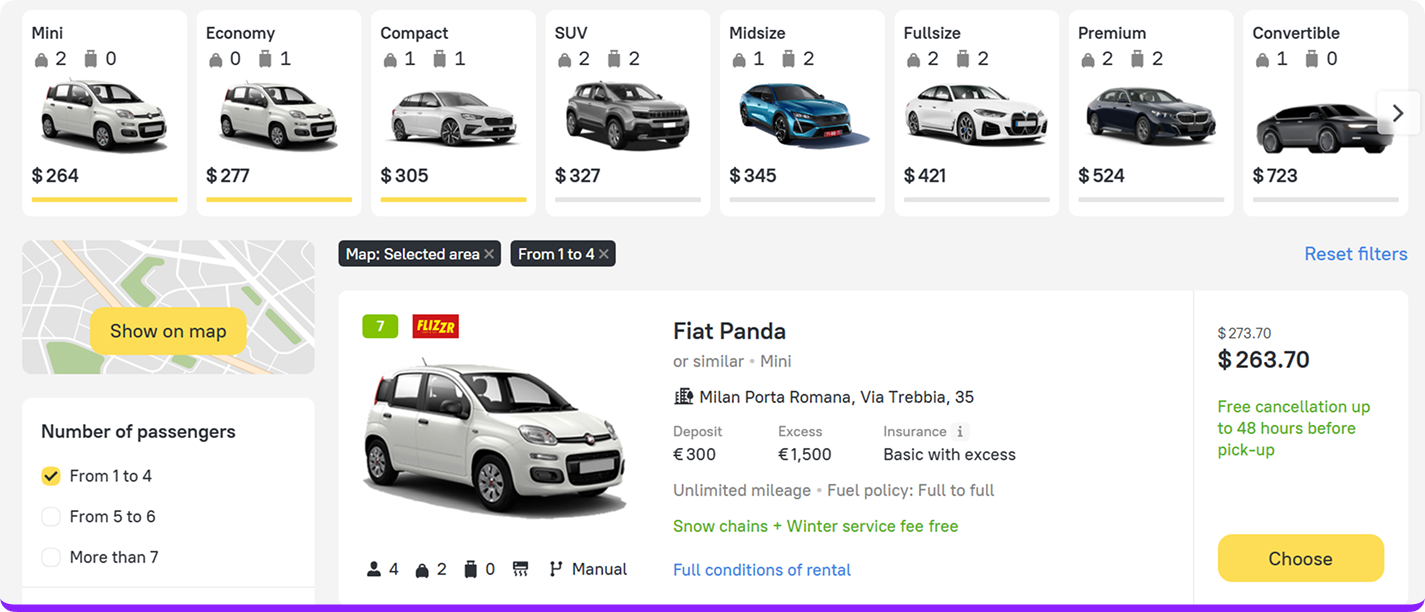
6. View results on the search page that automatically update based on your selected location.
Book cars more efficiently
The new interactive map helps you find the right rental office faster, compare nearby offers, and select the most convenient pickup location for your travelers.
Explore the map on the car rental search page today and supercharge your car rental bookings with RateHawk!